Our brand-new SWA & NCWA Association app is live — and this year your entire convention experience lives right inside it. No more third-party event app. Once you’re connected, you’ll also be able to network with every convention attendee, right from the app.
|
🎁 CONNECT EARLY & WIN First 50 to connect — entered to win a complimentary spa service at the convention, awarded when you pick up your registration package. First 100 to connect — entered to win convention door prizes. |
Get set up in 4 quick steps:
STEP 1 Download the app
Apple App Store: Download for iPhone / iPad
Google Play: Download for Android
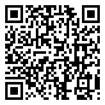
Or search your app store for “SWA & NCWA Association” or “Southern Wholesalers Association.” Or scan a QR code below.
|
Apple iOS
|
Google Play
|

STEP 2 Complete your profile
Create a username and password, and enter your company name exactly as it appears on your SWA correspondence.
STEP 3 Select SWA as your association
Tap ASSOCIATIONS → SWA. Under Alert Preferences, turn on both phone and email alerts, and allow notifications on your device so we can keep you updated.
STEP 4 Connect on the convention app
Open the SWA Annual Convention tile, verify your identity once, and you’re in — ready to view the agenda and connect with every attendee at the convention.
That’s it — completing Step 4 enters you in the drawings. The sooner you connect, the better your odds.
Questions? Our team will be on hand at the convention to help, or reach out anytime.